
Listen to this podcast in the app for free: Download for free in the App Store
radio.net
Sleep timer
Save favourites
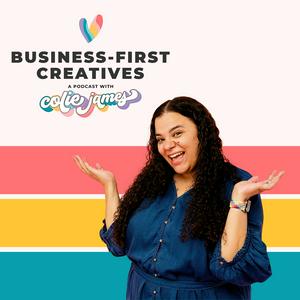
Business-First Creatives: Client Experience & Systems for Service Providers
Colie James
Latest episode
357 episodes

The Professional Pivot: Building Systems for the Next Version of Your Photography Business with Nicole Hodgson
22/10/2026 | 54 mins.What if the business that worked for you a few years ago isn’t the business that fits your life anymore? In this episode, I’m sitting down with my longtime client Nicole Hodgson to talk about what it actually looks like to evolve your business intentionally. Nicole has transitioned from therapist to family photographer to brand photographer—and through every iteration, she’s paid attention to what works for her brain, her family, and the business she wants to build.
We get into why Nicole moved from Dubsado to HoneyBook, why getting your systems in place before your business gets busy matters, and what changed when she transitioned from family photography to branding and commercial work. But this conversation became about so much more than systems.
Nicole and I talk about the connection between your systems, visual brand, positioning, and the way clients perceive your professionalism. We also dig into visibility, pricing, mindset, and why likes and engagement aren't necessarily the metrics that tell you whether your marketing is working. Nicole also shares how her previous career as a therapist influenced Content Therapy, her program designed to help women understand what’s really getting in the way of showing up as the face of their businesses.
Find It Quickly
00:23 - Meeting Clients IRL
03:46 - Switching to HoneyBook
06:24 - DIY to Done With You
09:05 - Family to Brand Pivot
15:11 - Marketing and Positioning Shift
18:49 - Repeat Clients and Systems
25:09 - Brand Photos Meet Systems
27:50 - DIY Stage vs Investing
29:15 - Systems For Future You
30:56 - Build Before You're Busy
32:09 - Marketing That Actually Converts
33:08 - Professionalism Builds Trust
35:14 - Long Game Over Likes
39:54 - Content Therapy Launch Lessons
43:44 - Origin Story Superpower
46:54 - Mindset And Price Raises
Mentioned in this Episode
Even Part-Time Business Owners Need Systems for Efficiency with Jess Hoffman
Rebrand: maddiepeschong.com/rebrand
Your Origin Story Is Your Marketing Superpower: Here’s How to Tell It with Megan Yelaney
Connect with the Guest
Website: nicolehodgsonphotography.com
Instagram: instagram.com/nicolehodgson.photography
Content Therapy: nicolehodgson.myflodesk.com/contenttherapyBusiness Bestie Chat Q4 – 2026 with Sabrina Gebhardt
15/10/2026 | 39 mins.What happens when you take a little time off from your business and accidentally come back with an entirely new business model? Apparently, if you're me, you build an app, create your own CRM, and completely rethink how you serve your clients. It's time for another quarterly Biz Bestie Chat with Sabrina Gebhardt, and let's just say we had two VERY different experiences in Q3.
While I spent my summer experimenting with AI, vibe coding, and building custom tools for my clients, Sabrina was navigating a major life transition as she sent her daughter off to college. That's exactly why I love these conversations. We're both running successful businesses, but what success looks like in any given season can be wildly different.
In this episode, we're catching up on everything that happened in Q3 and sharing what we're changing, testing, and prioritizing as we head into Q4. I'm sharing why I've decided to make The Experience Edit the starting point for working with me, how my approach to building client systems has completely shifted, and why I'm learning that sometimes the most productive thing you can do is NOT immediately jump into implementation.
Mentioned in this Episode:
Systems in Session: coliejames.com/systems-in-session
The Experience Edit: coliejames.com/the-experience-edit
Root to Rise: sabrinagebhardt.com/mastermind-waitlist
First Class Lounge: sabrinagebhardt.com/membership
Summer Camp: sabrina-gebhardt.myflodesk.com/summercamp
Our Quarterly Business Bestie Chats:
Q3 2026: coliejames.com/business-bestie-chat-q3-2026-with-sabrina-gebhardt
Q2 2026: coliejames.com/business-bestie-chat-q2-2026-with-sabrina-gebhardt
Q1 2026: coliejames.com/business-bestie-chat-q1-2026-with-sabrina-gebhardt
Q4 2025: coliejames.com/business-bestie-chat-q4-2025-with-sabrina-gebhardt
Q3 2025: sabrinagebhardt.com/podcast/q3-business-besties-chat-with-colie-james
Q2 2025: sabrinagebhardt.com/podcast/q2-2025-business-bestie-chat-with-colie-james
Q1 2025: sabrinagebhardt.com/podcast/128-q1-2025-business-bestie-chat
Q4 2024: sabrinagebhardt.com/podcast/q4-business-bestie-chat-with-colie-james
Q3 2024: sabrinagebhardt.com/podcast/q3-business-besties-chat-with-colie-james
Q2 2024: sabrinagebhardt.com/podcast/88-q2-business-besties-chat-with-colie-james
Q1 2024: sabrinagebhardt.com/podcast/75-quarterly-business-chat-with-colie-james
Connect with Sabrina
Website: sabrinagebhardt.com
Instagram: instagram.com/sabrinagebhardtphotography
Podcast: sabrinagebhardt.com/podcastThe Biggest Revenue Mistake Creatives Make (And How to Fix It)
13/10/2026 | 14 mins.Y’all, the biggest revenue mistake in your business probably isn’t your pricing or your marketing. It’s what happens after the project ends. You deliver something beautiful, send the final email, and then... ghost. You feel shy about asking for a review, guilty about asking for a referral, and you assume they’ll come back when they’re ready.
Here’s the thing: they won’t always. Not because the work wasn’t great, but because life moves on and you stop being a priority. In this episode, I’m sharing what I found when I loaded all 551 of my past clients into one place and just how much of my cash collected in 2026 has come from repeat clients.
I’m also introducing my very first SaaS microtool, Untapped Potential, along with its built-in Retention Radar. It helps you nurture past client relationships one-to-one in about 30 minutes a week. It tells you when it’s time to check in and when it’s time to invite someone to rebook.
In this episode:
Why ghosting past clients is costing you real revenue
Why checking in with past clients counts as marketing (yes, really)
What my own sales data revealed about repeat clients
How Untapped Potential and the Retention Radar keep you on track without relying on willpower
Get early access: Check out Untapped Potential at coliejames.com/potential. The first 25 subscribers get an early adopter perk ✨Willpower vs. Strategy: How to Actually Get Your Marketing Done with Tayler Cusick Hollman
08/10/2026 | 50 mins.If you know you need to market your business but still find yourself staring blankly when someone asks what you actually did to market it this week, this episode is for you. Tayler Cusick Hollman is back on the podcast for a conversation about something that affects so many small business owners: we keep assuming we need more time, motivation, or willpower to finally become consistent with our marketing.
But what if willpower isn’t the problem? Tayler has spent more than a decade supporting small business owners with their marketing, and together we’re breaking down why collecting more marketing ideas isn’t the same thing as having a marketing strategy—and why knowing what to do means very little if you never actually do it.
We talk about creating a marketing plan based on your real goals and available time, becoming more biased toward action, and identifying the small steps that can actually move your business forward. We also get into the numbers behind your marketing, including customer acquisition cost, lifetime client value, and why your time absolutely counts as a marketing expense.
Plus, I’m sharing why documenting your marketing matters just as much as doing it. If something works but you have no idea what generated the lead or sale, it becomes pretty difficult to repeat that success.
Find It Quickly
03:39 - Willpower And Marketing
07:30 - Advice Vs Strategy
10:15 - Goals To Action Steps
15:11 - Bias For Action
17:55 - Make The List
23:36 - Start Small Track Data
26:38 - Marketing Metrics Nerd Out
32:55 - Project Manage Marketing
41:48 - Document And Measure
42:58 - Action Plan And Enji
47:10 - Mind The Gap Freebie
Mentioned in this Episode
Crafting an Intentional Marketing Plan with Tayler Cusick-Hollman [Marketing with Intention Series]
The Best Financial Strategy for a Sustainable Business is Overflow with Emilie Nutley
Mind the Gap Freebie: coliejames.com/gap
Connect with the Guest
Website: enji.co
Instagram: instagram.com/enji_co
Facebook: facebook.com/enjimarketingThe System for Finding More Creativity, Joy, and Fun in Your Work with Julie Fried
01/10/2026 | 45 mins.What if the thing you create doesn’t have to generate leads, sell an offer, or prove its ROI? What if you’re allowed to make something simply because you freaking love it? That’s exactly what I’m talking about with my friend Julie Fried, host of The System for Everything. And unlike most of the podcast hosts I bring onto Business-First Creatives, Julie isn’t using her show as a funnel into a service or offer.
She created it because she wanted a place to talk about everything that fascinates her—from business systems and meal planning to reality TV, adult friendships, parenting, travel, and whatever random rabbit hole catches her attention next. And it turns out? That creative freedom has become one of the most fulfilling things she’s done.
Julie and I get into how she curates guests and topics, why she loves even the admin side of podcasting, what she’s changing for season two, and how she’s thinking about monetization without sacrificing what makes the show fun in the first place.
Find It Quickly
01:03 - Meet Julie Fried
01:32 - Pre Written Emails
02:23 - Why Julie Podcasts
05:33 - The System For Everything
08:35 - Choosing Guests
13:01 - Bad PR Pitches
14:16 - Admin And Workflow
17:09 - Social Media Choices
21:43 - Season Two Plans
24:24 - Ads And Monetization
24:53 - Producer Ad Read
26:39 - Curated Podcast Ads
28:00 - Choosing Ideal Sponsors
29:39 - Protecting Creative Energy
31:41 - Monetizing Mom Systems
32:32 - One and Done Talk
35:47 - Only Child Systems Ideas
37:27 - Summer Camp Logistics
41:21 - System Shutdown
42:57 - Travel and Couch Life
44:09 - Budgeting Video
Mentioned in this Episode
Laylee Emadi
Creative Educator Conference
Gaffin Creative
Captivate
Flodesk – Get 50% Off Your First Year
Systems in Session
The Experience Edit
Connect with the Guest
Website: dallasgirlfriday.com
Instagram: instagram.com/thesystemforeverything
Podcast: dallasgirlfriday.com/podcast
More Business podcasts








Trending Business podcasts


























About Business-First Creatives: Client Experience & Systems for Service Providers
Business-First Creatives is a podcast for photographers and creative service providers who want to build a profitable, sustainable business without drowning in admin work, client experience chaos, or systems that let you down.
This show delivers clear, actionable conversations around marketing, CRM workflows, client communication, Dubsado and Honeybook automation, Airtable systems, and workflow strategies, giving photographers and creative entrepreneurs the systems that scale, operational clarity, and strategic, human-first client experiences they need to build streamlined, referral-worthy business operations that don't require working 24/7.
If you're tired of babysitting your inbox, chasing down contracts, or watching your workflows break the moment you look away, this show will help you move beyond "figuring it out as you go" and toward a creative business that brings you joy and a paycheck.
This podcast provides answers to questions like:
How do I automate my client journey without losing the personal touch?
What CRM workflows do photographers and creative businesses need?
How can I use Dubsado or Honeybook to streamline my client experience?
What systems do photographers need to save time and deliver exceptional client experiences?
How do I reduce admin time in my creative service business?
Why do my workflows keep letting me down (and how do I fix them)?
How can I build a profitable creative business that brings me joy and a paycheck?
What's the best way to communicate with clients throughout their journey?
How do I create systems that work even when I'm not babysitting them?
How can I map my client journey to convert more inquiries into bookings?
Hosted by Colie James, a Dubsado Certified Specialist, Honeybook Educator, and Workflow and Automations Guru with 10+ years helping creatives systemize their businesses—this show delivers practical, no-BS guidance for photographers and creative entrepreneurs who are ready to streamline their client journey, automate their operations, and make money from their craft.
If you're done dropping balls and ready to build a business-first creative operation with systems that scale, you're in the right place.
Find out more about Systems in Session ➡️ https://coliejames.com/systems-in-session
Podcast websiteListen to Business-First Creatives: Client Experience & Systems for Service Providers, Prof G Markets and many other podcasts from around the world with the radio.net app
Get the free radio.net app
- Stations and podcasts to bookmark
- Stream via Wi-Fi or Bluetooth
- Supports Carplay & Android Auto
- Many other app features
Get the free radio.net app
- Stations and podcasts to bookmark
- Stream via Wi-Fi or Bluetooth
- Supports Carplay & Android Auto
- Many other app features
Business-First Creatives: Client Experience & Systems for Service Providers
Scan code,
download the app,
start listening.
download the app,
start listening.
Business-First Creatives: Client Experience & Systems for Service Providers: Podcasts in Family
 Ireland